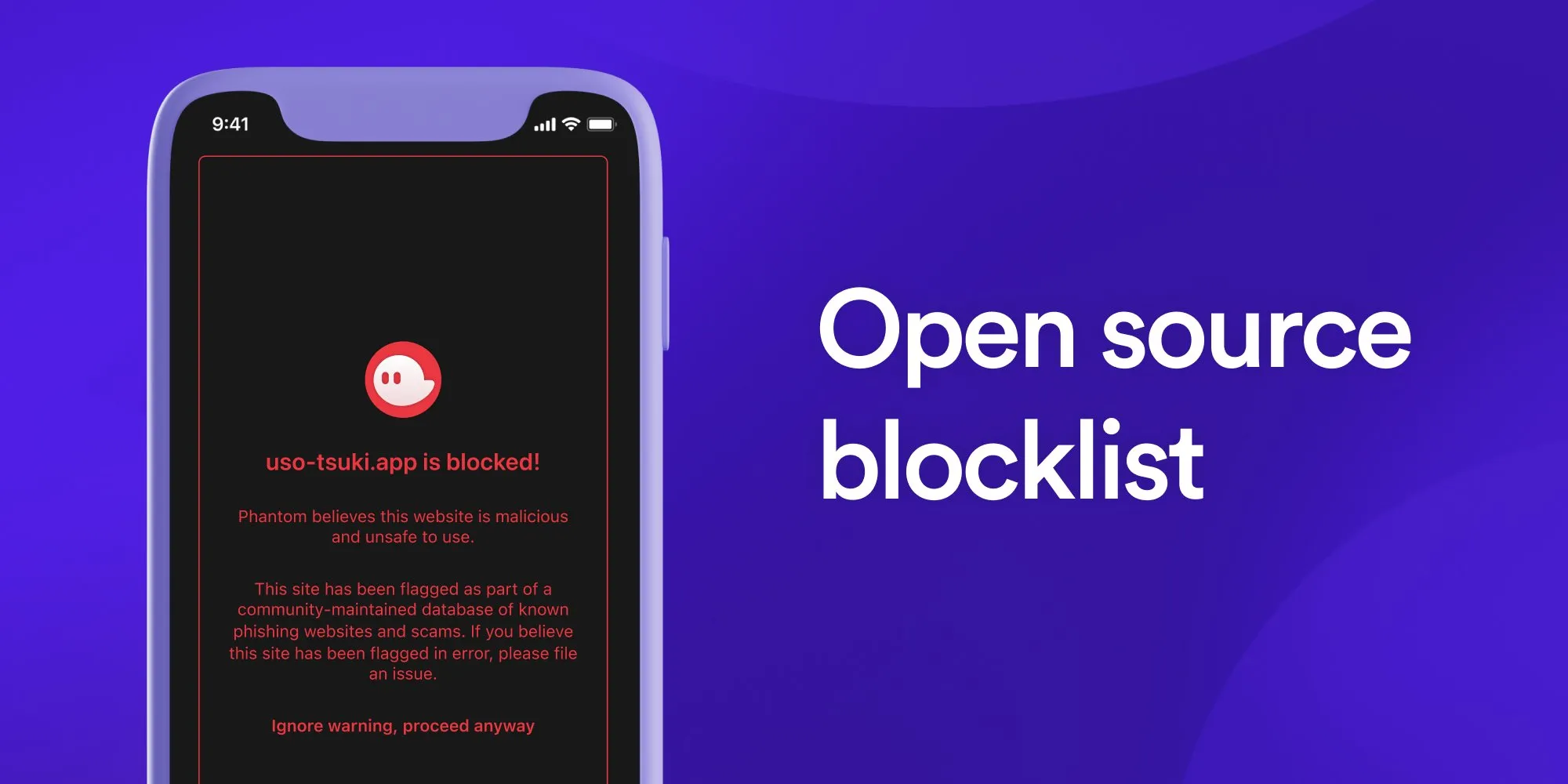
Phantom Wallet is a widely used Solana and Ethereum wallet, providing users with seamless access to decentralized applications (dApps). However, in some cases, users trying to interact with a dApp may encounter the following security warning:
“This dApp could be malicious.”
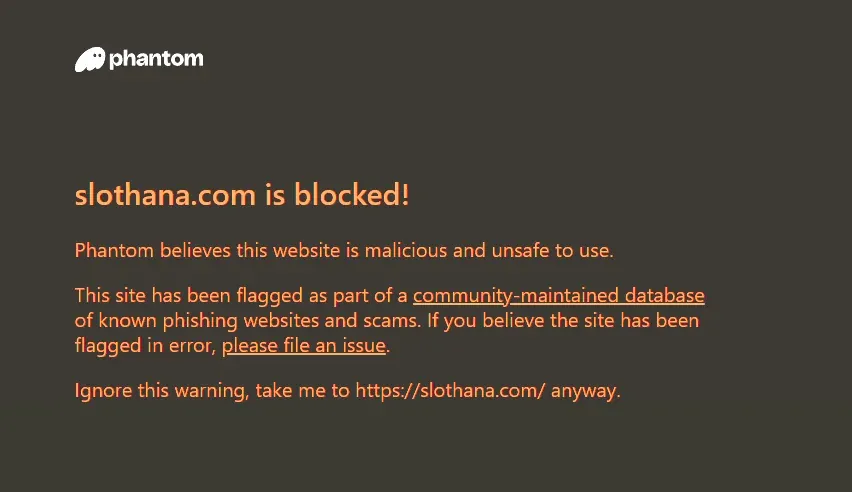
While this warning is meant to protect users from scams and phishing attempts, it can also wrongly flag legitimate dApps, causing disruptions for both users and developers. If your dApp has been blocked by Phantom, you’re not alone, and there is a way to fix it.
In this article, we’ll explain:
- Why Phantom Wallet blocks dApps
- How Phantom’s open-source blocklist works
- How to appeal and get your dApp unblocked
- How dappsentry can help you restore access quickly
Why Does Phantom Show the “This dApp Could Be Malicious” Warning?
Phantom Wallet uses an open-source blocklist to flag and restrict access to dApps that it considers suspicious. This blocklist is maintained by security researchers and is used to detect phishing websites, scam dApps, and malicious contracts. The blocklist applies to both Ethereum and Solana-based dApps, meaning that even if your dApp is legitimate, it can still get flagged if it shares characteristics with known threats.
Here are the most common reasons why your dApp might be blocked:
🔍 Open-Source Blocklist Detection
Phantom relies on third-party security databases to identify scams and malicious actors. If your dApp’s domain or contract address has been mistakenly added to one of these lists, users will see the warning when trying to access it.
⚠️ False Positives from Automated Scans
Automated security systems scan smart contracts for patterns of fraud. If your contract resembles one used in a scam—whether intentionally or not—it may be flagged.
🏷️ Previously Reported Domain or Address
If your domain name or smart contract address was previously reported—even in error—it can still remain flagged, even if no malicious activity is present.
📢 Competitor or User Reports
Some dApps have been falsely flagged due to bad-faith reports by competitors or users who don’t understand the purpose of a particular application.
🌐 Shared Hosting Risks
If your dApp shares a server or hosting provider with flagged projects, your domain could get caught in the crossfire and mistakenly blocked.
If your dApp has been falsely flagged, you need to identify which providers have flagged you and appeal to them directly. This is where dappsentry comes in.
How dappsentry Helps With “This dApp Could Be Malicious”
If Phantom Wallet is blocking your dApp, dappsentry helps you detect the issue and provides resources to appeal.
🔄 How It Works
-
Check If Your dApp Is Blocked
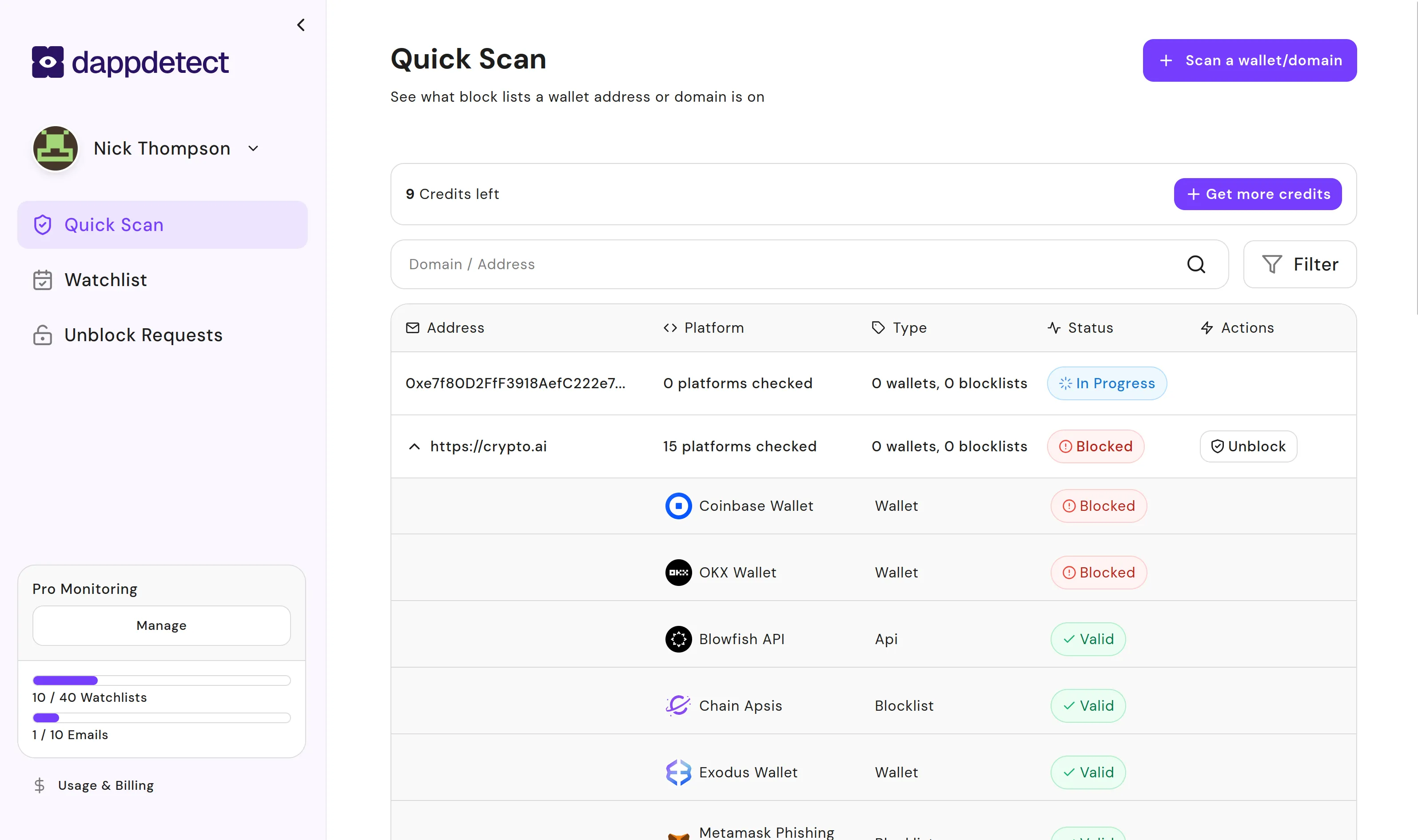
Visit dappsentry and enter your dApp URL or contract address to see if it appears in Phantom’s blocklist or other security databases across 15+ providers.
-
Add Your dApp to the Watchlist
Proactively monitor your dApp to ensure you’re alerted if it gets flagged. dappsentry provides real-time alerts so you can act before issues escalate.
-
Get the Unblock Guide
Purchase our comprehensive Unblock Guide PDF which includes step-by-step instructions and direct links to Phantom’s appeal process and security partners.
-
Submit Your Appeal
Follow the guide to submit your appeal directly to the relevant providers with proper documentation about your dApp’s legitimacy.
Why Use dappsentry?
dappsentry is designed specifically for crypto projects, dApp developers, and Web3 businesses. Here’s why it’s the best solution for detecting Phantom Wallet block issues:
✅ Instant Detection
Quickly identify which providers have flagged your dApp across 15+ wallets and blocklists.
✅ Crypto-Specific Expertise
Unlike generic security services, dappsentry specializes in blockchain-related security, with detailed guides for each provider’s appeal process.
✅ Real-Time Monitoring
With automated alerts and tracking, you’ll be notified immediately if your dApp is ever flagged in the future.
✅ Comprehensive Guide
Our Unblock Guide PDF provides detailed instructions for appealing to each provider, with direct links to their forms.
Take Action Today
If your dApp has been wrongly flagged by Phantom Wallet, don’t let it disrupt your business. Take action now:
- Go to dappsentry and check if your dApp is blocked.
- Add your dApp to the watchlist for real-time security updates.
- Get our Unblock Guide with step-by-step appeal instructions.
False security warnings shouldn’t stand in the way of your project’s success—dappsentry helps you detect issues early and provides the resources you need to appeal.